
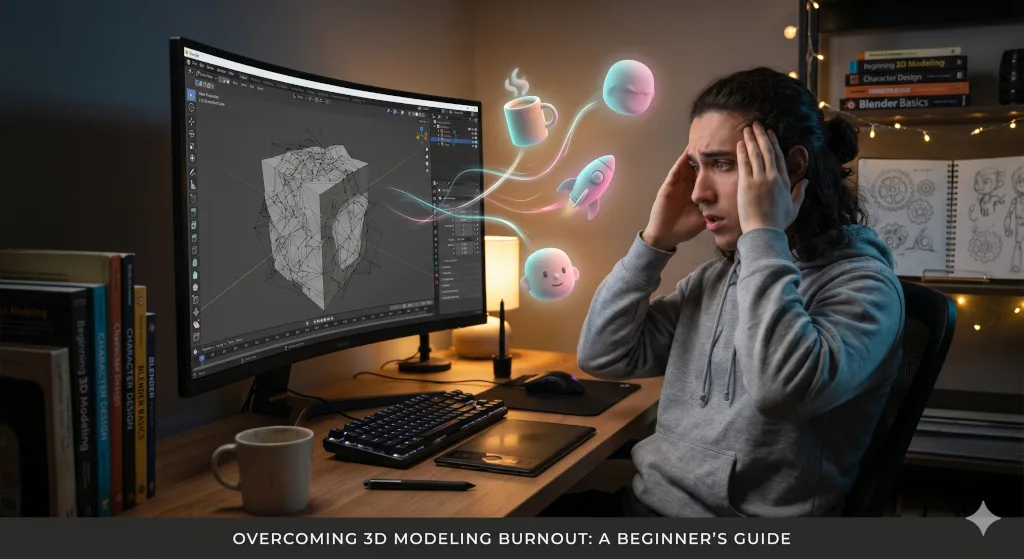
You probably know the feeling. You launch Blender, Maya, or your preferred 3D software, stare at the default cube, and feel totally paralyzed.
When you first started your 3D modeling journey, progress was rapid. You learned to navigate the viewport, extrude faces, and render a basic scene. But now? You have hit a wall.
The gap between the image in your head and the topology on your screen feels impossibly wide. You are caught in the frustrating space between beginner enthusiasm and intermediate skill—a prime breeding ground for burnout.
Hitting this plateau doesn’t mean you lack talent. It is simply a standard part of the professional learning curve. Here is a structured approach to help you beat burnout and get your momentum back.
1. Escape “Tutorial Hell”
Relying entirely on step-by-step tutorials is a common beginner trap. Tutorials are great for learning the UI, but they don’t teach you how to problem-solve. Take the guide away, and the blank canvas becomes terrifying.
The Fix: Switch to active learning.
- Watch a tutorial to understand a specific technique (like using a boolean modifier or UV unwrapping).
- Apply that technique to a completely original idea. If the tutorial builds a sword, use those same tools to build a sci-fi wrench.
- Solve the errors. You will make mistakes, but troubleshooting those errors is where real learning happens.
2. Eliminate Scope Creep
Burnout often happens when you bite off more than you can chew. It is tempting to try building a cyberpunk city or a photorealistic character on day one. When you inevitably struggle, it feels like a massive failure.
The Fix: Scale down your ambition to scale up your skills. For the next two weeks, ban yourself from huge projects. Instead, focus on “micro-projects” you can finish in a single sitting. Try modeling:
- A coffee mug
- A USB drive
- A simple low-poly tree
Completing small tasks gives you a quick psychological win. It reinforces your foundation without the heavy burden of an unfinished, massive file.
3. Deconstruct the Workflow
3D modeling requires you to be a sculptor, painter, lighting technician, and photographer all at once. Trying to master modeling, texturing, rigging, and lighting simultaneously will quickly overwhelm you.
The Fix: Isolate your focus. Professionals break their work down into distinct stages. You should do the same:
- Forget about textures and lighting for now.
- Dedicate your time strictly to topology and form.
- Spend a week creating nothing but clean, untextured grey-box models.
Once you are confident with your geometry, you can slowly reintroduce the next stage of the pipeline.
4. Step Away from the Screen
Sometimes, the best way to improve your 3D modeling is to stop modeling. Staring at vertices for hours causes extreme eye fatigue. Forcing yourself to work through burnout usually produces bad results and deeper frustration.
The Fix: Give yourself permission to rest.
- Look at real-world objects to see how light hits their surfaces.
- Sketch your ideas on physical paper.
- Watch a movie or go for a walk to replenish your creative energy.
A rested mind will solve a complex topology issue in ten minutes. A burned-out mind will stare at it for two hours.
Your Next Step
The hardest part of overcoming a plateau is simply opening the software without the weight of heavy expectations. Every professional 3D artist has been exactly where you are right now. The only difference between them and the people who quit is that they chose to make one more model.
Your challenge for today: Open your 3D software. Don’t worry about lighting or materials. Spend exactly 15 minutes modeling the simplest object sitting on your desk.
Break the inertia, and the momentum will follow.
Have you experienced a roadblock in your 3D journey? Share what object you chose to model today in the comments below!


Leave a Reply