
Key Takeaways:
- AI 3D generators are speeding up workflows, not replacing traditional 3D artists.
- Raw AI models often have chaotic topology and are not game-ready out of the box.
- Blender is essential as the “surgery room” for retopologizing and optimizing AI-generated assets.
- The new industry standard is a hybrid workflow: AI for base generation, Blender for professional finishing.
The Core Dilemma: AI vs. Traditional 3D
The timelines of game developers and 3D artists are currently flooded with what looks like pure witchcraft.
You type “decaying cyberpunk streetlamp” into Meshy.ai or Tripo3D, and in under 60 seconds, a fully textured asset materializes. Platforms like CSM are mastering Image-to-3D, while Luma Genie is pushing the boundaries of text-to-mesh generation.
The Existential Dread of the 3D Community
Because of this rapid advancement, the existential dread in the 3D community is palpable. If AI can instantly generate what used to take days of manual poly-pushing, UV unwrapping, and node-wrangling, the elephant in the room is impossible to ignore:
Is traditional 3D software dead? Should we abandon Blender, hang up our ZBrush tablets, and cancel our Substance 3D Painter subscriptions?
The short answer is a resounding no.
In fact, according to recent data from the Blender Foundation, their professional user base is actually growing. Blender isn’t dying; it is simply evolving. In the modern game dev pipeline, AI has become the new starting line, but robust, traditional 3D software remains the undeniable finish line.
Here is the truth about how game developers are actually utilizing AI and 3D software today.
The Rise of AI 3D Generators in Game Development
For indie developers and solo creators, AI 3D generators feel like magic.
Breaking the “Blank Canvas” Syndrome
Their biggest appeal? Unprecedented speed and the complete elimination of “blank canvas” syndrome. Generating these base meshes in under a minute allows for rapid prototyping. It lets devs gray-box and populate levels in Unreal Engine 5 or Unity almost instantly, saving hundreds of hours of early-stage development time.
The 80/20 Rule for Background Assets
Game environments are incredibly asset-heavy. Following the 80/20 rule, about 80% of the objects in a game are background props that players will never look closely at. Instead of spending hours manually modeling a background barrel, or using specialized procedural tools like SpeedTree for distant foliage, developers are leveraging AI to quickly fill out their worlds.
The “Dirty Secret” of AI-Generated 3D Models
However, if you think you can generate a whole game’s worth of assets and drag them directly into a game engine, you’re in for a rude awakening.
The Reality of AI Topology
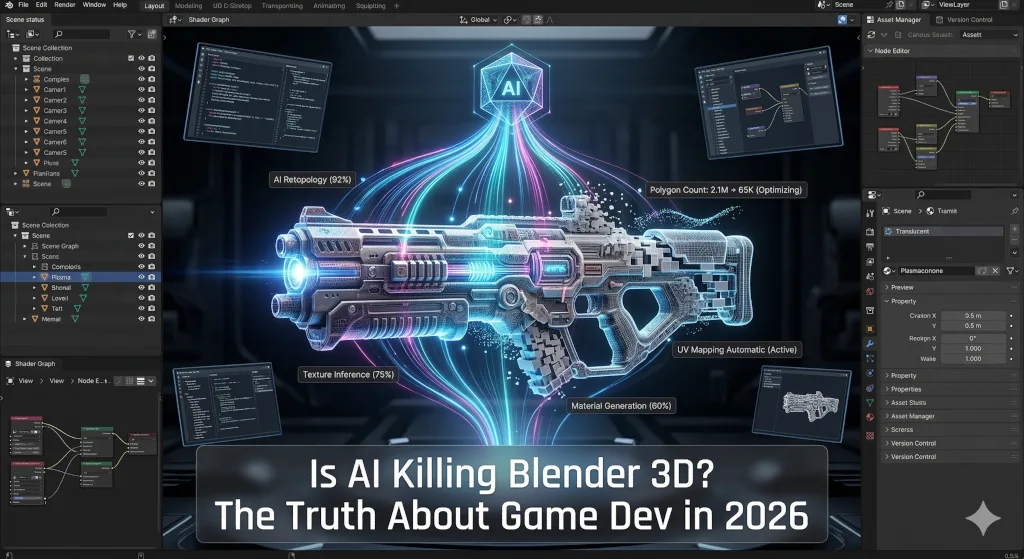
The “dirty secret” of current AI 3D generators is their underlying technical messiness. While an AI-generated model might look passable from a distance, its wireframe usually tells a horror story.
These tools notoriously output incredibly dense, chaotic topology—sometimes generating upwards of 500,000 polygons for a simple, smooth object. They are riddled with:
- N-gons
- Non-manifold geometry
- Overlapping faces
- Broken UV islands
Performance Hits in Game Engines
Even with advanced rendering tech like Unreal’s Nanite, dropping raw, heavily fragmented AI models into a game engine is a guaranteed recipe for massive memory bloat, texture artifacting, and terrible game performance.
Why Blender is the Ultimate “Surgery Room”
This optimization crisis is exactly why Blender 3D is more essential than ever. AI alone cannot finish a game; it requires a “surgery room” to make the assets actually functional in a production pipeline.
The Modern Hybrid Game Dev Workflow
The modern hybrid game development workflow looks like this:
- Generate: Create a rough concept or base mesh using an AI tool like Tripo or Meshy.
- Import: Bring the messy, high-poly model into Blender.
- Retopologize: Drastically reduce the polygon count and create clean edge flow (often utilizing powerhouse Blender add-ons like RetopoFlow).
- UV Unwrap: Flatten the clean mesh using Blender’s native tools or dedicated software like RizomUV.
- Bake & Texture: Bake the high-poly AI details onto your optimized low-poly mesh, then texture it in Substance 3D Painter to match your specific PBR (Physically Based Rendering) art style.
- Export: Send the optimized, game-ready asset to your game engine.
The Unmatched Importance of “Hero” Assets
Furthermore, “Hero” assets—like your main character, intricate boss enemies, and important interactive items—still require precise artistic control, custom rigging, and bespoke animation. Only a human artist using a robust tool like Blender or Maya can provide this level of detail.
The Verdict: A Hybrid Future
Knowing how to use Blender today gives you a massive competitive advantage. It means you aren’t just a “prompt engineer” relying on whatever the algorithm spits out. You have the actual power to take rapid AI generations and turn them into highly optimized, professional-grade game assets.
Ultimately, AI is an incredible tool, but it is not a replacement for traditional 3D modeling fundamentals. It handles the boilerplate and the rough drafts, freeing up developers to focus on high-level art direction, optimized topology, and performance.
What about you? Have you tried incorporating AI tools into your 3D workflow yet, or are you sticking to 100% manual modeling in Blender and ZBrush? Let me know your thoughts in the comments below!
Recommended Watch
Want to see this hybrid workflow in action? 3D Artist Andrew Vish recently tested several of the top AI 3D generators (including Meshy and Heighten 3D) to see how their raw outputs stack up against traditional human topology.
It is a great visual breakdown of why the “surgery room” of Blender is still absolutely necessary for game developers today.
Check out his video here:
What about you? Have you tried incorporating AI tools into your 3D workflow yet, or are you sticking to 100% manual modeling in Blender and ZBrush? Let me know your thoughts in the comments below!

Leave a Reply