
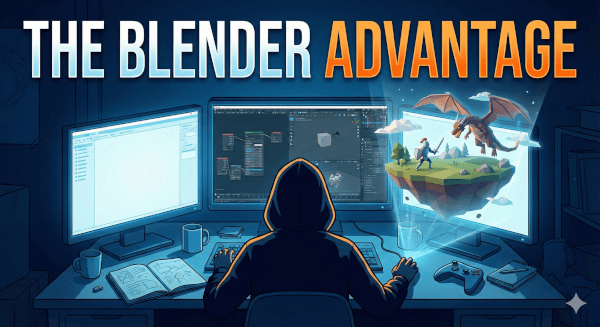
If you are a solo game developer, you know the struggle. You aren’t just the programmer; you are the level designer, the sound engineer, the marketing department, and, perhaps most terrifyingly, the art team.
Wearing every hat is exhausting. It’s also expensive. When you are trying to ship your dream game on a shoestring budget, the last thing you need is a four-figure annual subscription for 3D software just to model a decent-looking crate.
Enter Blender.
Once the quirky underdog of the 3D world, Blender has matured into an absolute powerhouse that rivals—and in some areas surpasses—industry standards like Maya or 3ds Max. For the solo developer, it isn’t just a good alternative; it is, arguably, the only logical choice.
Here is why Blender is the engine that powers the one-person studio.
1. The Price Tag: Free Forever
Let’s start with the obvious. Blender is free.
Not “free trial” free. Not “free for non-commercial use” free. It is open-source, GNU General Public License free. You can download it today, make a game that earns a million dollars, and you will never owe the Blender Foundation a dime.
For a solo developer, every dollar saved on software licensing is a dollar that can go toward assets, marketing, or just keeping the lights on. When the alternatives cost hundreds of dollars a month, Blender’s $0 price tag is a massive competitive advantage.
2. The “Swiss Army Knife” Pipeline
The hardest part of solo development is the context switching. Moving from a sculpting program to a retopology program, then to a texturing program, and finally to an animation program is a recipe for burnout and broken file formats.
Blender solves this by doing everything under one roof.
- High-Poly Sculpting: Create intricate creatures and organic shapes.
- Hard Surface Modeling: Build weapons, vehicles, and architecture with precision.
- Retopology & UVs: Optimize your meshes for game engines efficiently.
- Texture Painting: Hand-paint stylized textures directly onto your model.
- Rigging & Animation: Create complex skeletons and professional-grade character animations.
Does it do every single one of these things better than a $900 specialized standalone tool? Maybe not. But it does all of them excellently. For a solo dev, the speed of staying in one ecosystem outweighs the marginal benefits of jumping between five different expensive programs.
3. Seamless Integration with Unity, Unreal, and Godot
A 3D tool is useless if it fights you when trying to get your art into your game engine.
Blender’s pipeline to the major engines has improved dramatically in recent years. The .fbx and .glTF exporters are robust and reliable.
- Unity & Godot developers often find they can drop native
.blendfiles directly into their project folders for automatic importing
- Unreal Engine has developed fantastic official plugins for a seamless “Send to Unreal” workflow, making character rigging and animation transfer incredibly smooth.
You can model a sword in Blender, hit export, and have it in your game character’s hand in seconds.
4. The “Donut” Effect: Unrivaled Community Support
Solo development is lonely, but learning Blender is a communal experience. Because it’s free, it has the largest, most active user base of any 3D software on the planet.
If you get stuck on a specific problem—say, “how to bake normal maps for a low-poly tree”—typing that phrase into YouTube will yield fifty different tutorials uploaded in the last year.
From the legendary “Donut Tutorial” by Blender Guru that has started millions of careers, to niche forums dedicated to low-poly game art, the resources are endless and usually free. You will never truly be stuck alone with a software bug.
5. It Keeps Getting Better, Faster
Commercial software tends to update on an annual cycle designed to sell upgrades. Blender updates constantly, driven by community needs and heavy investment from major players like Epic Games, Ubisoft, and NVIDIA, who all contribute to its development fund.
New features like Geometry Nodes (for procedural generation—a solo dev’s dream) and real-time rendering with Eevee have revolutionized how indies create art. The tool grows rapidly, and you get all the new toys for free.
The Takeaway
As a solo developer, your time and your budget are your most precious resources. Blender respects both.
It has a learning curve, yes. The interface can be intimidating on day one. But the investment of time to learn it pays off exponentially. It empowers you to take the vision in your head and put it onto the screen without needing a team of ten artists or a bank loan.
If you want to build worlds by yourself, download Blender. Start the donut tutorial. Your game is waiting.
Leave a Reply