
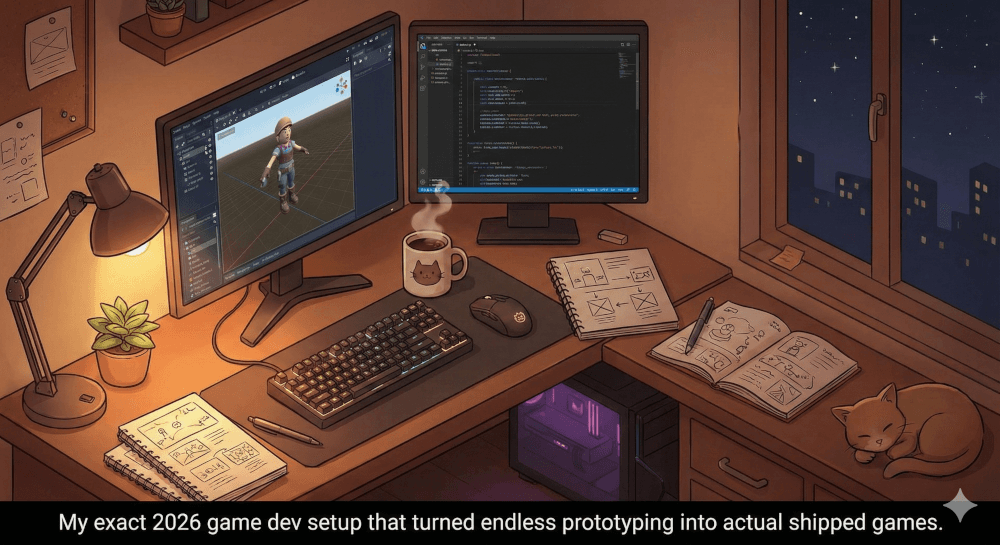
Let me be completely honest. Six months ago, I was ready to quit game development forever.
If you are a solo game developer, you know this painful cycle. First, you start a new project. You are fueled by coffee and pure inspiration. You design the core mechanics. You build a test level. Everything feels incredible.
Suddenly, reality sets in. You realize you need to build a complex inventory system from scratch. You need to animate a smooth walk cycle. You have to write fifty lines of dialogue just for a simple shopkeeper. And worse, you have to figure out why your character keeps falling through the floor.
You are no longer just a game designer. You are a programmer. You are an animator. You are a writer, a sound engineer, and a QA tester.
The burnout is intense. In fact, it is the number one reason indie games die in the “prototype graveyard.”
For the first two months of my website’s life, I wrote mostly about game design theory. But today, I want to get real. I want to talk about actual survival as an indie dev.
Today, I am sharing my exact personal tech stack for 2026. These are the specific indie game dev tools that pulled me out of tutorial hell. They cut my development time in half. Most importantly, they made solo game dev fun again.
If you want to speed up game development without sacrificing quality, keep reading. Here are the five tools that changed everything for me.
1. Godot 4.x: The Open-Source Engine That Respects My Time
For years, I was strictly a Unity developer. It was the standard choice. Everyone used it, so it felt safe.
But as my projects grew, the software felt heavier. The editor took forever to load. Navigating the complex interface felt like flying a commercial jet. All I really wanted was a bicycle.
Then, I finally took the plunge and switched to Godot.
My personal experience with Godot was a total revelation. First of all, the download size is tiny. It opens almost instantly. But the real magic for a solo game developer is Godot’s unique “Node and Scene” system.
Why Godot Works for Solo Devs
In other engines, managing objects can get incredibly messy. In Godot, absolutely everything is a “scene.”
- Your player character? That is a scene.
- The sword your player holds? Also a scene.
- The health bar on the screen? A scene.
You can put these scenes inside each other infinitely. When I built my action-platformer, this saved me weeks of work. I built one generic “Enemy” scene with basic movement code. Then, I easily created dozens of variations—like a goblin, a bat, and a boss—just by copying that base scene and swapping out the artwork.
My Takeaway: If you feel overwhelmed by bloated software, you need to try Godot. The coding language (GDScript) is incredibly easy to read. The engine simply gets out of your way so you can actually make your game.
(Thinking about making the switch? I highly recommend watching Brackeys’ incredible return to YouTube where he dives into Godot. It is what finally convinced me to switch:
2. Cursor (Agentic AI Coding): My Virtual Co-Programmer
I used to think using AI for coding was “cheating.” I wanted to do it all myself.
Then, I spent four straight days staring at a broken save-game script. I was pulling my hair out because one tiny file would not load correctly. I was wasting time I did not have.
Enter Cursor.
Many developers just paste code back and forth into ChatGPT. Cursor is different. It is a dedicated AI code editor built on top of VS Code. The biggest advantage? It actually understands your entire codebase at once.
How Cursor Speeds Up Game Development
Here is how it transformed my daily workflow. I was trying to build a grid-based inventory system. These are notoriously annoying to code. Instead of writing it line by line, I opened Cursor.
I typed a simple prompt: “I need a grid-based inventory system for Godot. Create a script that handles dragging and dropping items. It needs to check if the grid slots are empty. It should snap the item perfectly to the grid.”
Within seconds, Cursor did the heavy lifting. It did not just give me a random piece of code. It looked at my existing project folders, created the new scripts in the right places, and wrote the logic.
Did it work perfectly on the very first try? No. I still had to tweak the snapping math. But it easily saved me 15 hours of boring, repetitive coding.
My Takeaway: You cannot afford to spend a week on a single mechanic. Tools like Cursor act as a senior programmer sitting right next to you. You are still the architect, but you no longer have to lay every single brick by yourself.
3. Scenario.gg & Leonardo AI: Fixing the “Programmer Art” Problem
Let’s talk about game art. I am a programmer by trade. When I try to draw a tree, it looks like a green lollipop on a brown stick.
For my first few games, I relied entirely on free asset packs. The problem with free assets is obvious. Your game ends up looking exactly like 10,000 other indie games. You have zero unique visual identity.
Recently, I started using Scenario.gg and Leonardo AI. These tools completely bridged my skill gap.
Building a Unique Visual Identity
What makes Scenario incredible is that it is not just a random image generator. You can actually train custom AI models on your own specific art style.
Here is exactly what I did:
- I bought a small, high-quality pack of pixel art that I loved.
- I uploaded those 20 images to Scenario.
- I trained a custom AI model based only on those images.
Once my custom model was trained, the magic happened. I could type anything—”a ruined stone pillar,” “a glowing red potion,” or “a rusted iron sword.” The AI would instantly generate assets that perfectly matched the exact style and colors of the art I had bought.
I no longer spent hours searching the internet for matching UI icons. I just generated them in thirty seconds.
My Takeaway: AI art should not be used to lazily generate your whole game. Instead, use it to scale your art direction. Establish a cool style, train a model on it, and let the software handle the boring props and background elements.
4. Inworld AI: Bringing NPCs to Life (Without Writing a Novel)
If you are making an RPG, writing dialogue trees is soul-crushing work.
You have to account for every single choice the player makes. You have to track complex variables. You end up writing hundreds of lines of text. Sadly, most players will just click “skip” anyway.
For my latest project, I decided to scrap traditional dialogue trees completely. Instead, I implemented Inworld AI.
Creating “Living” Characters
Inworld allows you to create actual “Brains” for your non-playable characters (NPCs). You give the NPC a detailed backstory. You define their personality, their goals, and what they know about your game world.
For example, I created a grumpy blacksmith named “Thane.” I told the AI engine three things:
- Thane hates magic users.
- He loves his trusty hammer.
- He will only give the player a store discount if they ask about his missing dog.
When I playtested the game, I could type naturally to Thane. The responses were generated in real-time.
When my character used magic, Thane refused to sell me items. But when I asked about his lost dog? His entire tone shifted. He got emotional. He even lowered his prices.
My Takeaway: I did not have to write a single line of messy branching dialogue. The NPC just behaved like a real, living person. This is one of the best AI tools for game development right now. It saves an incomprehensible amount of time and creates a deeply immersive player experience.
5. Blockade Labs & LoudMe: World-Building at Light Speed
The final pieces of my solo dev pipeline are environments and sound effects.
Fast 3D Environments
When making 3D games, creating a skybox used to be a nightmare. It involved complex photography or rendering massive scenes in Blender.
Now, I use Blockade Labs (Skybox AI).
The process is incredibly simple. You sketch a rough outline of some mountains on the screen. Then, you type a prompt like: “Cyberpunk city skyline at sunset, neon lights, foggy.” In seconds, it generates a perfect, seamless 360-degree skybox. You drop it directly into your game engine. It immediately sets the mood of your entire level before you even place a single 3D model.
Instant Custom Audio
For audio, the old struggle was finding decent royalty-free sound effects. Most free sounds sound like they were recorded inside a tin can.
Now, I use LoudMe, a text-to-sound-effect generator.
Instead of searching a massive library for a “heavy door closing” sound, I just describe it. I type: “A massive, rusted iron dungeon door slamming shut with a heavy metallic echo.” The tool gives me three perfect variations instantly. This is completely transformative for game feel. I can perfectly tailor the audio to match my animation, rather than forcing my animation to match a bad stock sound.
Conclusion: The Era of the AI-Assisted Solo Developer
Looking back at the last six months, my perspective on solo game development has completely changed.
The goal of using these solo game dev software tools is not to let a computer make the game for you. The goal is to remove the friction. You want to remove the barriers between your great ideas and the final screen.
- Godot removes the friction of slow, bloated engines.
- Cursor removes the friction of endless, boring coding.
- Scenario and Inworld remove the friction of expensive art and massive dialogue writing.
You are still the director. You are the designer. You are the visionary. But in 2026, you do not have to be the entire production crew anymore.
By embracing this tool stack, I cut my development time in half. I significantly improved the quality of my projects. But most importantly? I finally enjoy the process again.
Now, I want to hear from you. Are you a solo developer currently working on a project? What does your tech stack look like today? Are you still doing everything the hard way, or have you started using some of these new tools?
Drop a comment below and let me know—I would love to check out what you are building!
(Note: If you found this breakdown helpful, be sure to bookmark this site and subscribe to the newsletter. I will be doing deep-dive, step-by-step tutorials on how to use every single one of these tools in the coming weeks!)
Related Topic
Why I’m Finally Making My Own Game
How to Create a Game with AI: A Beginner’s Guide to Different AI Tools Available
The WebGL Reality Check: 5 Hard Truths Unity Developers Must Accept
The Manager of Ghosts: How Agentic AI Rescued My Projects from the “Middle-Ground” Graveyard
Leave a Reply